







- October 23, 2026
- Tech
UPI Tap and Pay and MyUPI Explained — What Shop Owners and Customers Should Know
UPI Tap and Pay and MyUPI Explained — What Shop Owners and Customers Should Know
On 10 September 2026, NPCI unveiled two new products at the Global Fintech Fest in Mumbai, in the presence of the RBI Governor: UPI Tap & Pay, a tap-to-pay mode for in-person UPI transactions, and MyUPI, an AI-powered assistant for managing payments, safety, and complaints. If you run a shop or simply pay with UPI every day, these two launches change how you pay at the counter.
The Short Answer: What Are These Two Products?
UPI Tap & Pay lets a customer tap an NFC-enabled smartphone on a compatible POS terminal without opening a UPI app. It works in low or no network conditions, including airplane mode. It is backed at launch by 32 banks, 15 UPI applications, 8 acquirers/aggregators, and 18 payment service providers. Payments up to ₹5,000 are PIN-less; higher amounts require the UPI PIN entered on the POS terminal. MyUPI is an AI assistant that consolidates payment controls, transaction history, complaint management, and safety features across UPI apps and accounts. It offers a merchant trust check before payments, Pay Again, automated complaint filing in natural language, mobile-number de-linking from UPI IDs, and a safety switch to instantly pause all UPI debits. It is supported by 29 banks, 25 UPI applications, and 14 technology service providers. It is built on NPCI's small language model FiMI and is live inside the BHIM app's Quick Actions in five languages: English, Hindi, Telugu, Tamil, and Bengali.
UPI Tap & Pay: How It Works
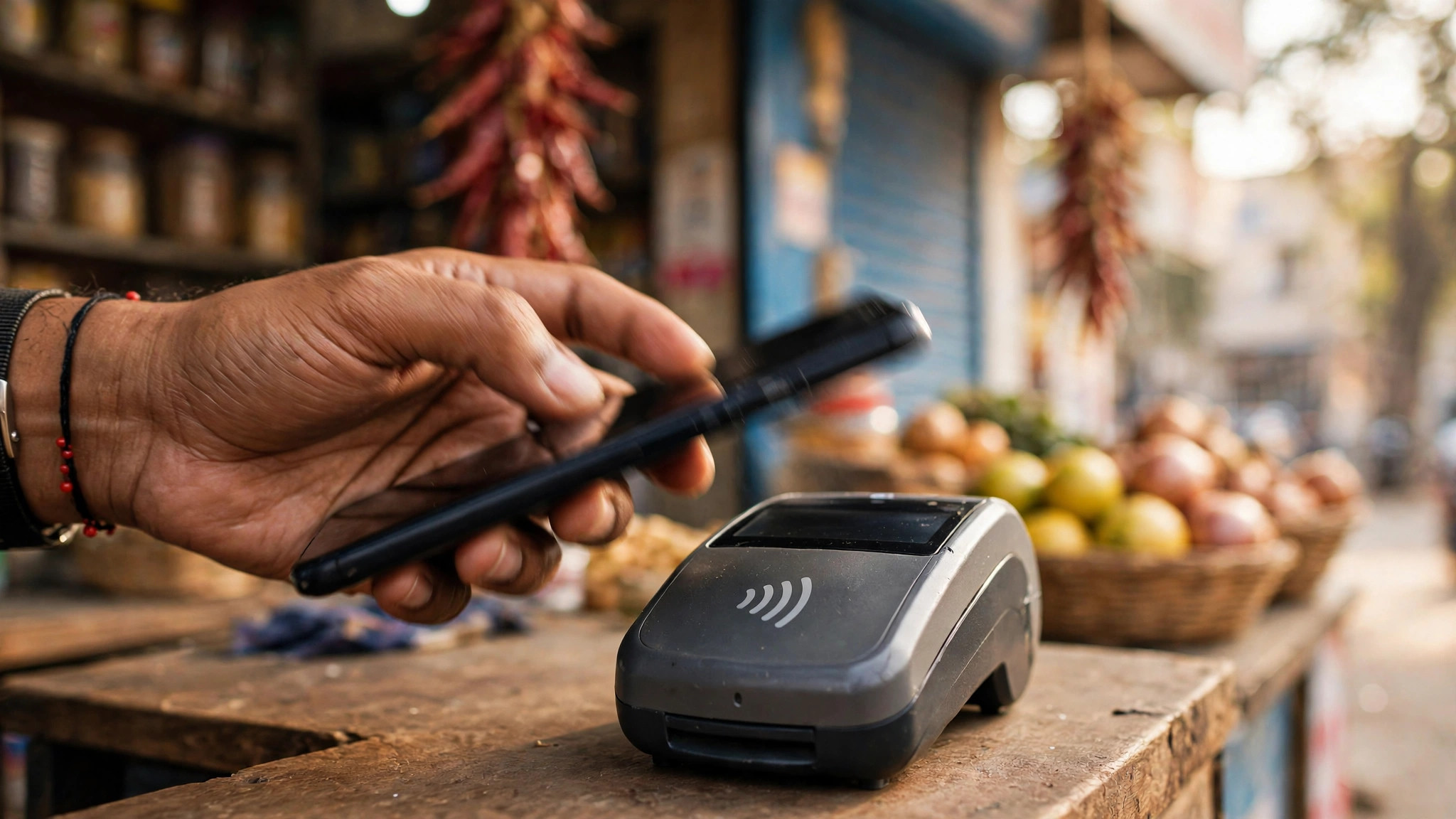
UPI Tap & Pay brings the familiar "tap to pay" experience to UPI. A customer with an NFC-enabled phone simply taps the phone on a compatible point-of-sale terminal. There is no need to open a UPI app, scan a QR code, or wait for a payment screen — the tap initiates the payment.
Two design choices stand out. First, it is built to work in low or no network conditions, including airplane mode, which matters in shops with patchy connectivity or crowded markets where mobile networks slow to a crawl. Second, the scale of launch backing is substantial: 32 banks, 15 UPI applications, 8 acquirers/aggregators, and 18 payment service providers. That breadth means Tap & Pay is positioned as a mainstream rail, not a niche pilot.
The ₹5,000 PIN-less Limit — Read Carefully
Payments up to ₹5,000 do not require a PIN at the terminal. Amounts above ₹5,000 require the UPI PIN to be entered on the POS terminal. This is an important nuance: UPI Tap & Pay is not a fully PIN-free version of UPI, and not all handsets and terminals support it. The phone must be NFC-enabled, and the merchant's terminal must be a compatible POS unit. Before treating Tap & Pay as the default at your counter, confirm both sides of the transaction support it.
MyUPI: An AI Assistant for Your Payments
MyUPI consolidates the scattered parts of managing UPI payments — controls, history, complaints, safety — into one assistant that works across UPI apps and accounts. Its feature set is aimed squarely at everyday frictions:
- Merchant trust check: a check on the merchant before a payment goes through, helping customers avoid paying the wrong or a suspicious merchant.
- Pay Again: quick repeat of a previous payment without re-entering details.
- Automated complaint filing: file a complaint in natural language instead of navigating menus and forms.
- Mobile-number de-linking: remove a mobile number from UPI IDs — useful when changing numbers or handing over a device.
- Safety switch: instantly pause all UPI debits, a fast protective action if something looks wrong.
The assistant is built on NPCI's small language model FiMI and is live inside the BHIM app's Quick Actions, currently in five languages: English, Hindi, Telugu, Tamil, and Bengali. It is supported by 29 banks, 25 UPI applications, and 14 technology service providers.
What Shop Owners Should Do
1. Check Your POS Compatibility
Ask your payment terminal provider whether your current POS unit supports UPI Tap & Pay, or what it would cost to upgrade to a compatible NFC terminal. The value proposition is speed at the counter and resilience during network dips — but it only works if the terminal supports it. Also confirm the supported bank and UPI app coverage on your terminal with your acquirer.
2. Educate Your Staff
A customer tapping their phone on the terminal looks different from a QR-code payment, and unfamiliar staff can create friction at the counter. Brief your team: where the customer taps, what the ₹5,000 PIN-less threshold means, when the customer will be asked to enter a UPI PIN on the terminal, and what a failed tap means (usually: fall back to QR or another payment mode). A five-minute briefing avoids awkward queues.
3. Use the Merchant Trust Check
MyUPI's merchant trust check runs on the customer side, but shop owners benefit from it too: legitimate businesses want their customers to verify them confidently before paying. Make sure your UPI merchant name is registered correctly and matches your shop name or display board, so the trust check reinforces rather than confuses.
What Customers Should Do
1. Try the Safety Switch
The most immediately useful MyUPI feature for everyday users is the safety switch: a single action that instantly pauses all UPI debits. Find it in the BHIM app's Quick Actions now, so that if you ever suspect fraud or lose your phone, you know exactly where it is instead of hunting for it in a panic.
2. Know the ₹5,000 PIN-less Limit
Tap & Pay is convenient up to ₹5,000, but it is not PIN-free for larger amounts — anything above ₹5,000 asks for your UPI PIN on the terminal. Keep that threshold in mind, enter your PIN privately on the terminal keypad as you would at any POS, and do not assume every shop's terminal or your phone supports Tap & Pay yet.
3. Use Natural-Language Complaints
If a UPI payment goes wrong — money debited but not credited, a failed transaction, a wrong recipient — MyUPI lets you file the complaint in plain language. This removes the old excuse of "I didn't know how to raise it." File promptly; most UPI dispute resolutions are time-sensitive.
Frequently Asked Questions
Do I need to open a UPI app to use UPI Tap & Pay?
No. That is the point: tap an NFC-enabled smartphone on a compatible POS terminal without opening a UPI app. It also works in low or no network conditions, including airplane mode.
Is UPI Tap & Pay completely PIN-free?
No. Payments up to ₹5,000 are PIN-less; higher amounts require the UPI PIN entered on the POS terminal. Not all handsets and terminals support Tap & Pay, so confirm compatibility first.
Where is MyUPI available?
MyUPI is built on NPCI's small language model FiMI and is live inside the BHIM app's Quick Actions, in five languages: English, Hindi, Telugu, Tamil, and Bengali.
What does the MyUPI safety switch do?
It instantly pauses all UPI debits — a fast protective action if you suspect fraud, lose your phone, or notice suspicious activity on your account.
Sources
- The Hindu BusinessLine — "NPCI launches UPI Tap & Pay and AI-Powered 'My UPI'" (10 Sept 2026) — thehindubusinessline.com
- AI Affairs — "NPCI BHIM Services launches MyUPI with nine payment support features" (25 Sept 2026) — aiaffairs.com
Running a shop or selling online? Payments and a professional web presence go hand in hand — Ready Multi Service helps small businesses get online with professional website design and digital services. For the latest on UPI costs for merchants, read our UPI merchant fee deferral post.